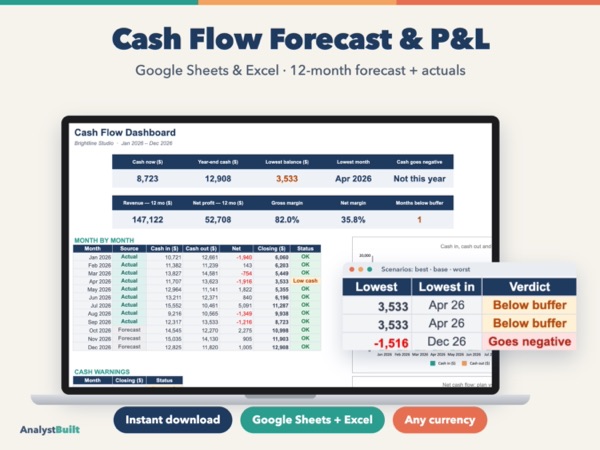
Cash Flow Forecast & P&L
12-month cash flow forecast, actuals tracking and profit & loss for small business
Small Business Finance
Rent roll, leases, deposits, Schedule E-style P&L and NOI per unit


from $14.99 on Etsy
Price on Etsy may vary (sales, your currency).
View on EtsyWorks in Google Sheets (free Google account) and Microsoft Excel 2016 or newer.
Know who has paid, who is late and what each unit really earns. One rent roll shows every unit month by month in color, late fees are added for you, leases warn you before they end, and security deposits come with a return-by date. At tax time, costs are already grouped like Schedule E for each property.
Made for small landlords with 1 to 10 properties and up to 30 units: a duplex, a few houses or a small apartment building.
Your rent rules (due day, grace days, lease-ending window, deposit return deadline) and a short guide
Rent collected vs charged, occupancy, NOI, past-due rent and leases ending, a color rent roll for your units, a list of what needs attention, NOI by property and costs by Schedule E line
Every unit × 12 months: Paid, Paid late, Partial, Late, Due, Vacant; collection rate, past-due amount and rent lost to vacancy per unit
Pick the tenant, type the amount; the unit and month fill in. Rent, late fees, other income (laundry, parking) and waived fees
Dates, rent, due day, grace days, late fee, prorated first month, move-out date; status Active, Expiring soon, Month-to-month, Moving out, Upcoming, Ended; balance owed
Up to 10 properties and 30 units with bedrooms, market rent and live occupancy
Amount held, deductions (cleaning, repairs, unpaid rent, other), amount returned and a return-by date
By property or by unit, with shared costs split for you
Side-by-side columns per property: income, operating costs, NOI, interest, cash flow; plus NOI for every unit
A printable statement for one tenant: charges, payments and running balance
Buy the template on Etsy, then download START-HERE.pdf and the Excel .zip from your Purchases.
How to downloadClick MAKE A COPY in the PDF: your own Google Sheet is saved to your Google Drive. Prefer Excel? Open the .xlsx.
How to make your copyFollow the Start Here tab. Type in the cream cells; the gray cells do the math for you.
Clearing the sample dataYou receive:
START-HERE.pdf — Google Sheets link + quick guidelandlord-rent-ledger-excel.zip — Excel versionNot tax or legal advice.
Designed by me with the help of AI tools.
12-month cash flow forecast, actuals tracking and profit & loss for small business
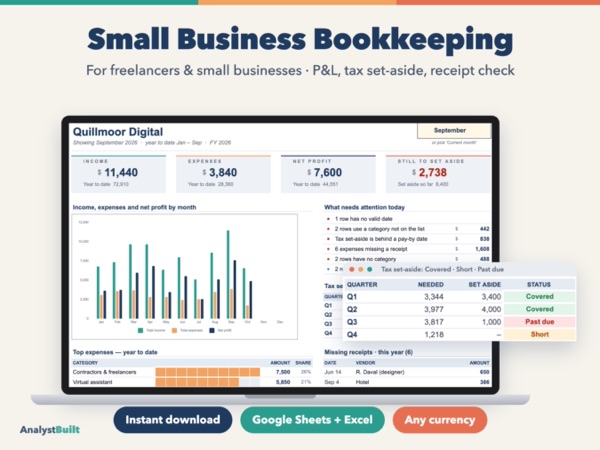
Income & expense tracker, monthly profit & loss, tax set-aside and a tax-time Year Summary
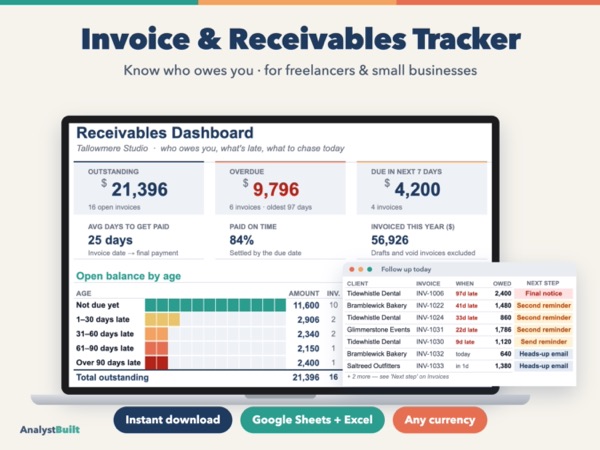
Track invoices, partial payments and overdue clients — with printable invoices and ready-made reminders